Customer: use Games, Lotteries, Friends, and notifications
Understand which features use Rupal, check official results, manage friend requests, and control alerts without losing track of your account.
Know these words first
- Wager
- Rupal committed to a game or lottery entry.
- Result status
- The official pending, completed, won, lost, or cancelled state.
- Friend request
- An invitation that you can accept, decline, or leave pending.
See where everything is
These screens use demonstration information—never a real user’s balance, payment, or private conversation. Numbered markers match the notes below each image.
Games and Lotteries begin on Home
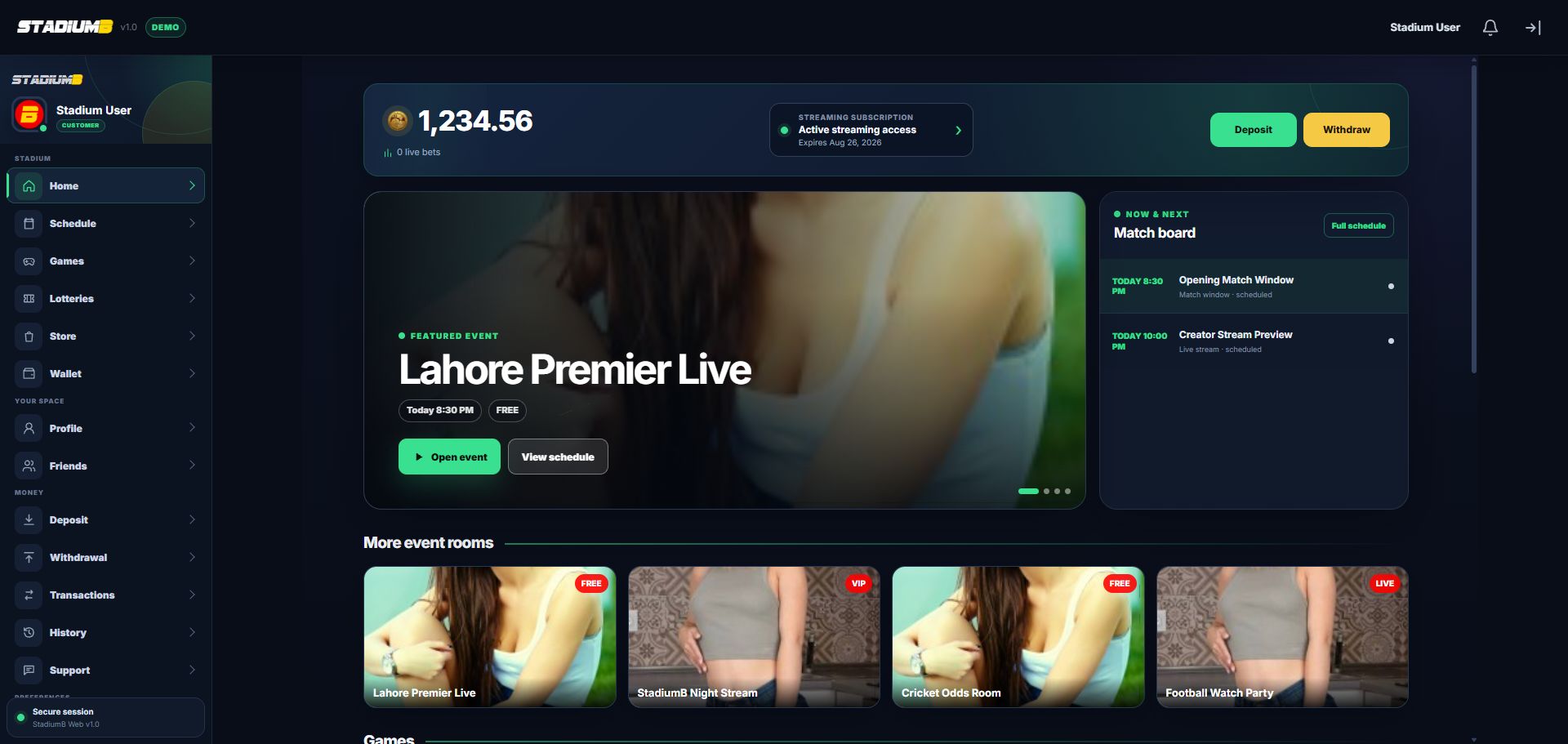
Scroll below the event rooms to find game and lottery cards. Read each room before committing Rupal.
- 1Games in the main menu
- 2Lotteries in the main menu
- 3Wallet for official results
- 4Game cards continue below
- 5Friend and Support controls stay in the menu
Manage trusted connections
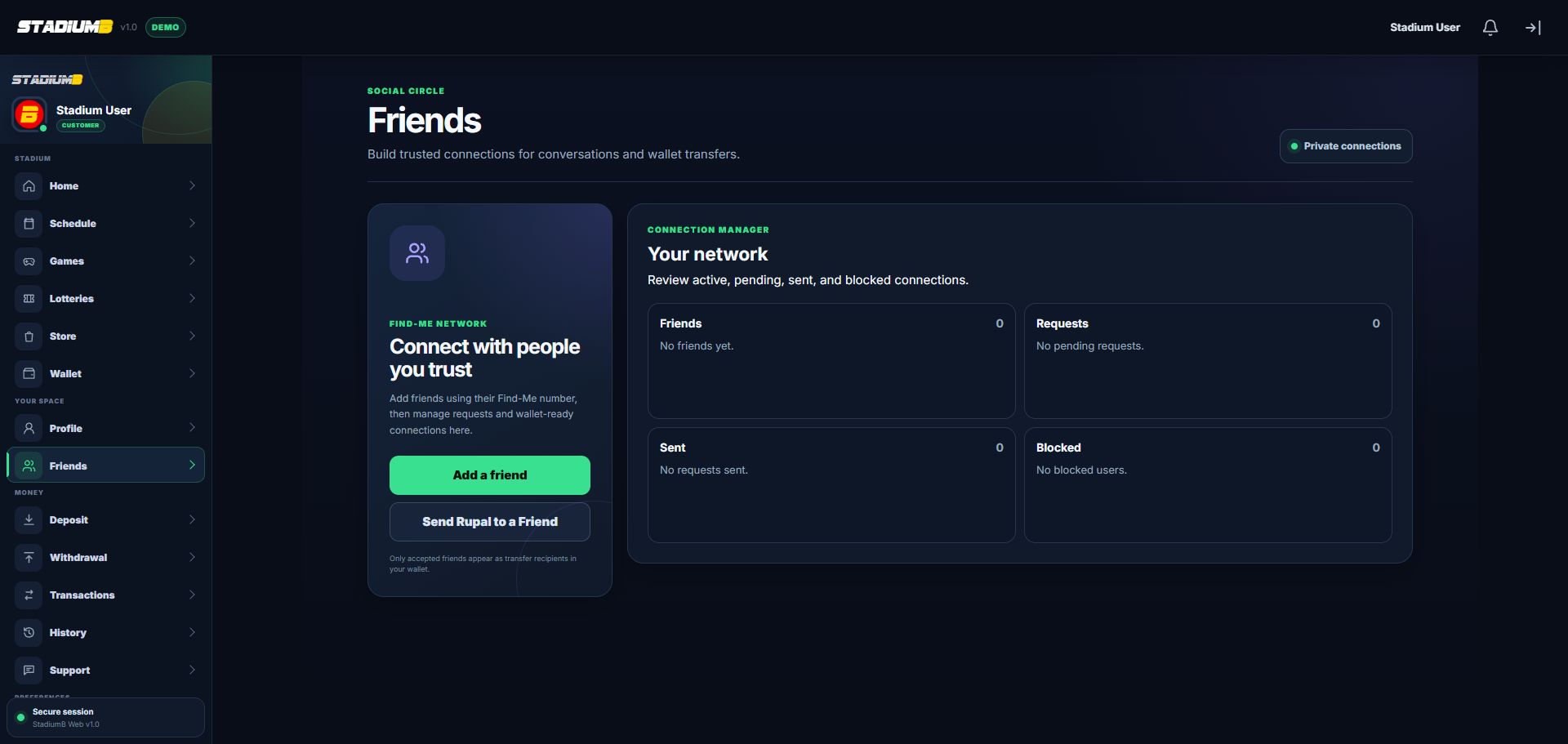
Only accepted friends can appear as wallet-transfer recipients. A friendship is not proof that someone is StadiumB staff.
- 1Add by the correct Find-Me number
- 2Send Rupal only to a trusted accepted friend
- 3Accepted friends
- 4Incoming and sent requests
- 5Blocked connections
Step-by-step
Set a limit before play
Choose the maximum Rupal and time you can afford for entertainment. Never use money needed for bills, food, transport, debt, or savings.
- Stop at the limit even after a loss.
- A Token is not used for Games or Lotteries; they use Rupal.
Read the game or draw first
Open Games or Lotteries, select an item, and read the rules, entry amount, fee, and status before choosing Play or Enter.
- Confirm only the Rupal amount you intended.
- Do not repeatedly press the entry button.
Check the official result
After play, open Wallet, Transactions, or History. That record is the source of truth for the wager and any payout.
- Pending is not a confirmed win or loss.
- Save the round, draw, or transaction reference when reporting a stuck result.
Manage Friends safely
Open Friends to view accepted, incoming, sent, or blocked users. Accept only people you recognise and block unwanted contact.
- Do not send money because somebody added you as a friend.
- Friend status does not prove that a person is StadiumB staff.
Control notifications
Use the notification button for recent alerts and Settings for available preferences. Keep security and payment alerts enabled when possible.
- Treat promotional alerts separately from transaction confirmations.
- Take a break when play stops feeling like entertainment.
Check that it worked
- The wager or entry amount is within the limit you chose before play.
- The result appears in Wallet, Transactions, or History with a reference.
- Only people you recognise are accepted as friends.
- Security and payment notifications remain enabled where available.
If something does not look right
A game or lottery is missing.
It may be unavailable, closed, or not included in your permissions. Do not use an outside copy of the game.
A result is pending.
Do not replay to force an update. Save the round, draw, or transaction reference and wait for the official final status.
A friend requests Rupal for a prize or guaranteed return.
Do not transfer. Block the account if necessary and report suspicious behavior through Support.