Manager: run Operations and manage people
Read your branch overview, distinguish direct Customers from Distributor branches, and create accounts with only the needed privileges.
Know these words first
- Direct Customer
- A Customer assigned directly to your Manager account.
- Distributor branch
- A Distributor and Customers assigned below that Distributor.
- Privilege
- Permission to perform one named kind of work.
See where everything is
These screens use demonstration information—never a real user’s balance, payment, or private conversation. Numbered markers match the notes below each image.
Start every shift on the Manager dashboard
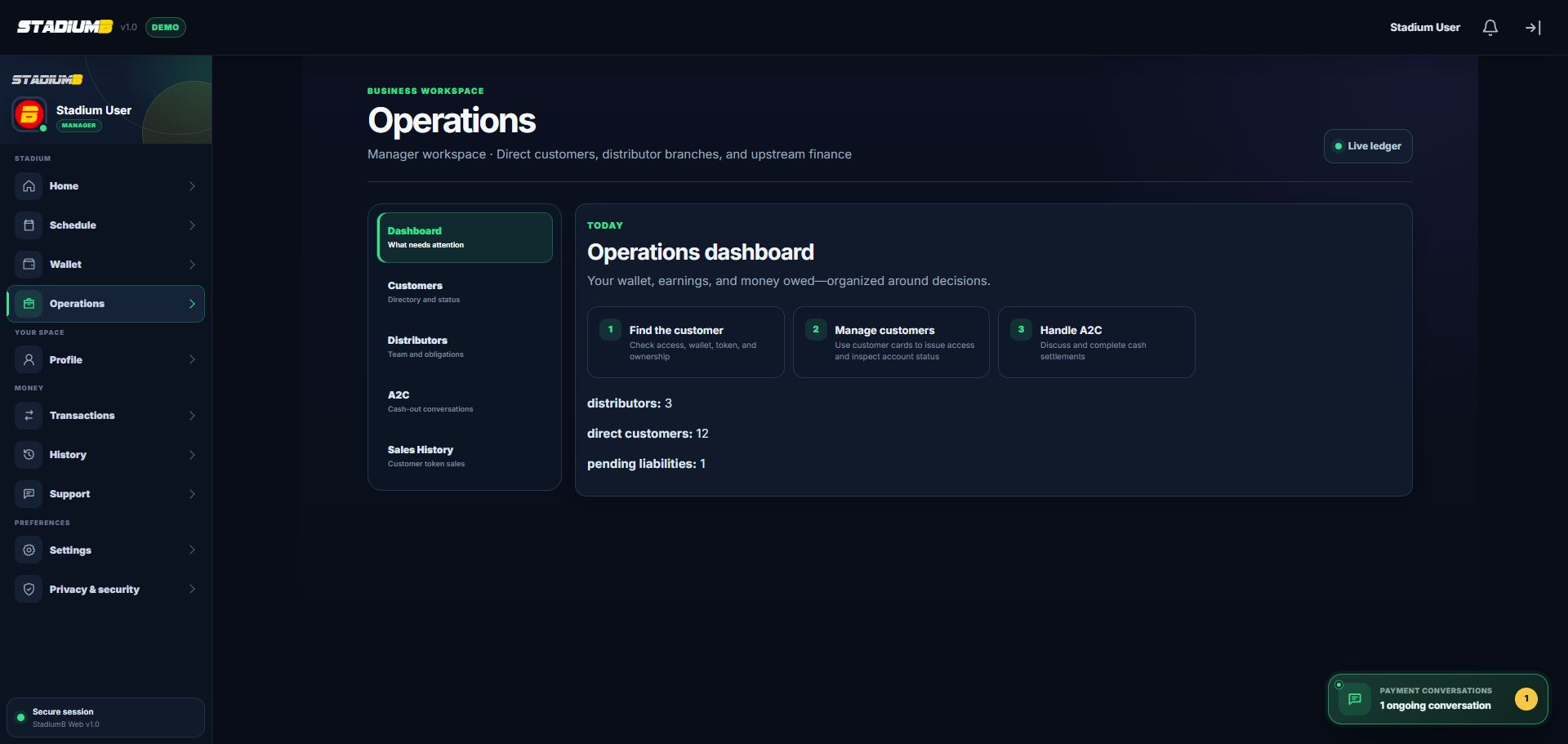
Confirm the page says Manager workspace. Use the tabs to move from attention items to the exact Customer, Distributor, conversation, or sale.
- 1Manager workspace label
- 2Customer and Distributor tabs
- 3A2C and Sales History
- 4Suggested work order
- 5Branch totals and warnings
Confirm ownership before acting on a Customer

The Customer card should show the expected owner and relationship. Use View status before Assign token or Manage customer.
- 1Search and operational-status filter
- 2Summary of operational and blocked accounts
- 3Create a direct Customer
- 4Owner and relationship
- 5View status before taking action
Step-by-step
Open Operations and read the overview
Open Menu, then Operations. Confirm that the heading identifies a Manager workspace. Review direct Customers, Distributor branches, sales, and finance warnings before acting.
- Refresh at the start of a shift.
- Open detail behind a total; a dashboard number is not proof that money moved.
Understand ownership
Direct Customers belong to your Manager account. Distributor Customers belong to a branch below you. Ownership controls which negotiated sales are allowed.
- Use hierarchy or branch detail to confirm the owner.
- Correct ownership before recording a sale.
Create the correct account type
Use Create Customer for a platform user. Use Create Distributor only for staff who will serve assigned Customers. Enter a unique username, email, and private initial password.
- Check that the person does not already have an account.
- Ask the new user to change the initial password.
Grant the minimum Distributor privileges
Enable only expected work, such as creating Customers or selling an allowed product. Review commission and Token wholesale terms separately.
- A Distributor cannot run P2P or mint/burn Rupal.
- Commission does not reduce capital owed upward.
Verify and review daily
Search the saved account and confirm role, owner, status, and privileges. At day end, review direct obligations, Distributor collections, forwarded amounts, and P2P items when enabled.
- Use suspension when access must stop.
- Do not delete an account to hide an unresolved obligation.
Check that it worked
- The Operations heading identifies a Manager workspace.
- The Customer or Distributor card shows the expected owner.
- The new account has the correct role, status, and minimum privileges.
- End-of-shift totals are backed by detail records, not only dashboard numbers.
If something does not look right
Operations is missing.
Confirm the Manager account is active and has the required operational privileges.
A Customer appears under a Distributor branch.
Do not record a direct sale. Resolve ownership through the approved hierarchy process first.
Create or action buttons are disabled.
Check capability, account status, and required fields. Do not try to bypass a disabled control.