Manager: use P2P, Support, and assigned Control Panels
Claim queue work, confirm final terms in official chat, follow panel steps, and stop when an action is outside your authority.
Know these words first
- Capability
- Permission to open and use one operational area.
- Claim
- Assign a waiting P2P request or Support case to yourself.
- Final terms
- The actual fiat amount and currency agreed in the official conversation.
See where everything is
These screens use demonstration information—never a real user’s balance, payment, or private conversation. Numbered markers match the notes below each image.
Use the queue and workflow entries assigned to you
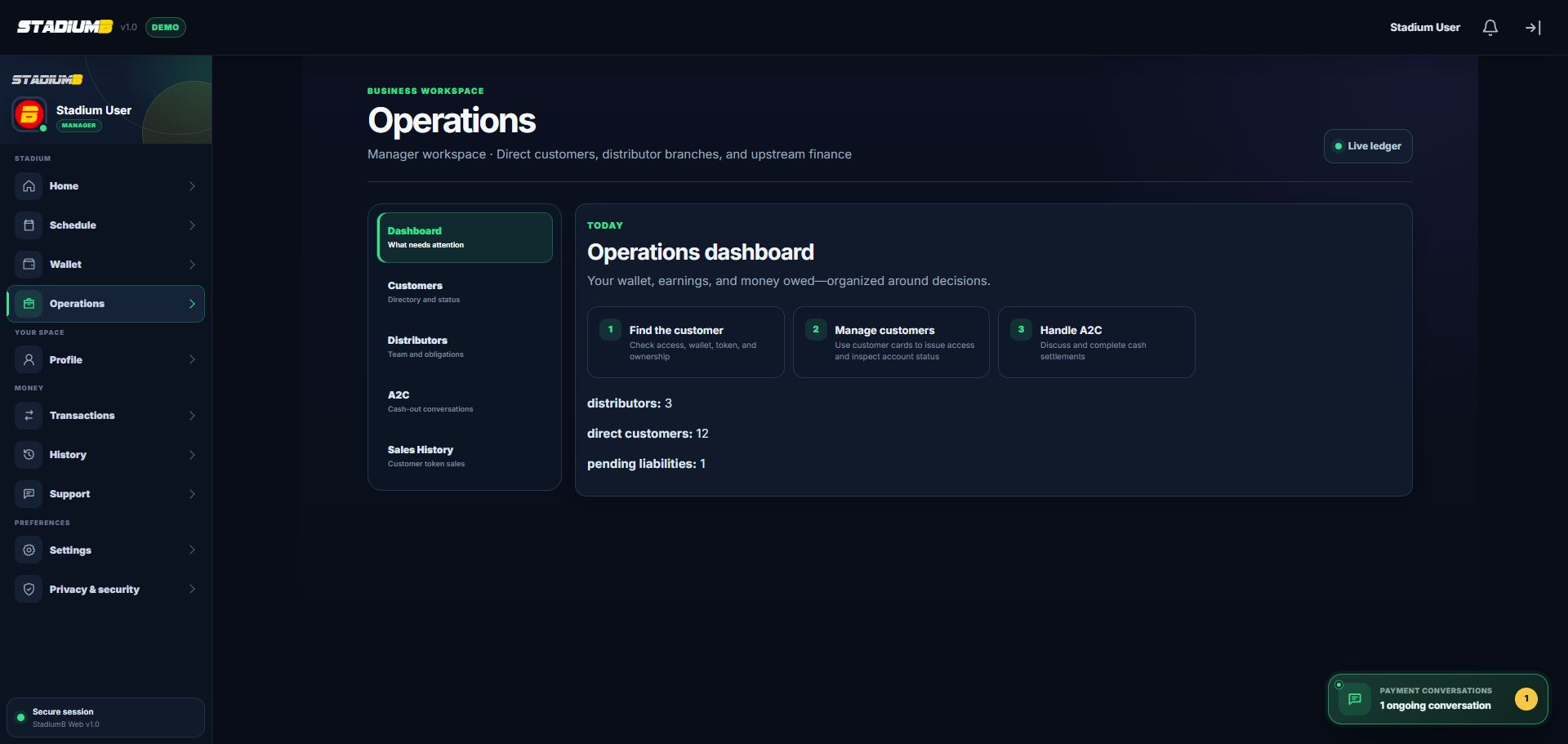
Operational tabs are role- and capability-based. A missing tab means the current account should not perform that work.
- 1Confirm Manager workspace
- 2A2C conversation queue
- 3Sales History for verification
- 4Workflow order
- 5Ongoing conversation dock
Work one Support case at a time

Read the case history and verify the official account record before replying or resolving. Support chat does not replace a P2P decision record.
- 1Case reference and queue
- 2Current status
- 3Resolve only after verification
- 4Full message history
- 5Reply and protected image
Step-by-step
Check readiness
Open P2P Gateway or the Operations P2P area. Confirm your account, availability, and required receiving profile are active before accepting work.
- Do not become available if you cannot finish a request.
- Only an authorised Manager may operate P2P; never delegate it to a Distributor.
Claim and confirm in chat
Read the request type, Customer, amount or Token duration, then claim one request. State fiat amount, currency, receiving or payout details, and required action in the official chat.
- Keep every confirmation inside StadiumB.
- Never ask for a Customer password or security code.
Approve or reject once
Enter the final terms and completion note, check the request type again, then choose the correct decision. Verify the resulting transaction, Token, capital, or reimbursement record.
- Reject with a clear reason when terms are not met.
- Keep P2P deposit, Token, and withdrawal channels separate.
Work Support cases clearly
Claim a Support case, read its full history and reference, reply in plain language, and record resolution only after checking the official account record.
- Do not make a P2P decision only in Support chat.
- Escalate facts outside your capability instead of guessing.
Use only assigned Control Panels
The Control Panel left menu shows only assigned areas, such as streaming, events, games, finance, Support, alerts, or content. Use filters, inspect the exact row, and follow its step rail in order.
- Hidden, disabled, or read-only usually means you lack that capability.
- Escalate root settings, supply policy, and dispute decisions to the Super Admin.
- Turn availability off and sign out at shift end.
Check that it worked
- Availability and receiving profile were ready before a request was claimed.
- Final amount, currency, and payment details are written in official chat.
- The resulting Wallet, Token, capital, payout, or reimbursement record matches the decision.
- Only assigned Control Panel areas were used, and availability was turned off at shift end.
If something does not look right
A queue item cannot be claimed.
Check active status, availability, capability, receiving profile, and whether another operator already claimed it.
A panel is hidden or read-only.
Treat that as an authority boundary. Escalate to the Super Admin instead of trying another route.
Support facts conflict with a P2P record.
Use the P2P request and transaction as the operational source of truth; document the discrepancy in Support.